 Touch Typing
Free typing tutor for Windows
Type with all ten fingers.
Learn to type without looking down. Start with a quick speed test, then build the habit with guided lessons, practice and typing games.
Free. No ads. No account. Windows 10 & 11
Typing test
See how fast and accurately you type.
Type the first character to start.
Runs in your browser. Your keystrokes stay here.
In the Windows app
Make progress one key at a time.
Touch Typing shows you the right key and finger, then gives you space to build speed at your own pace.
See the right finger for every key
Start on the home row. Learn a few keys at a time, with a colour-coded keyboard and hands that highlight the next finger.
Get it for Windows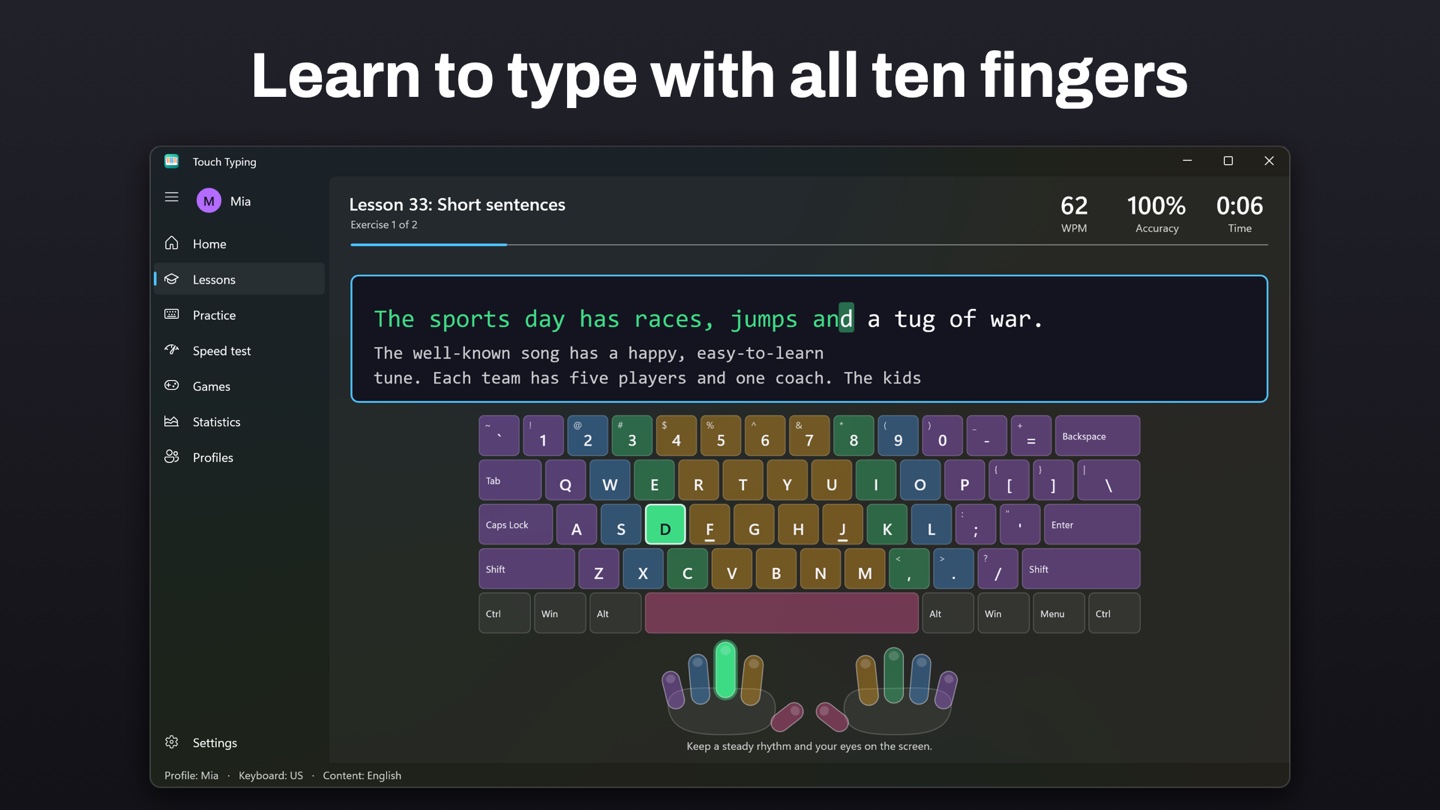
A look inside Touch Typing
See a lesson, the typing games and the progress screen in about 30 seconds.
Windows 10 version 2004 or later, or Windows 11. A physical keyboard is recommended for the web test and required for the Windows course.